Website Heatmap Tool
See where users click, scroll
and get stuck.
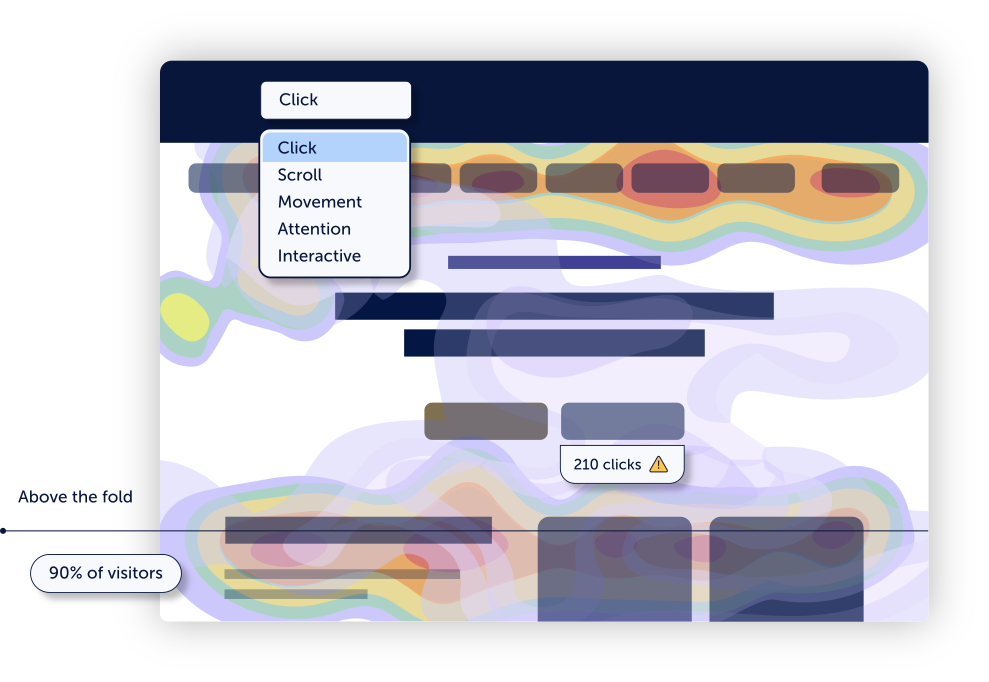
Mouseflow automatically generates 7 types of heatmaps for every page on your site. No setup. No sampling. Just instant visual clarity on how users navigate and where UX breaks.


★★★★★
4.6 / 5 on G2 — Rated above Hotjar, FullStory & Microsoft Clarity
Trusted by 210,000+ teams


.svg)



Click Heatmaps
See exactly where users click or try to click. Identify CTAs that work, elements that confuse, and clicks that go nowhere.

Scroll Heatmaps
Find out how far users scroll. Spot whether key content is getting lost below the fold before users ever reach it.

Attention Heatmaps
Combines movement and hover time to reveal where users actually focus, even when they don't click.

Movement Heatmaps
Track where users move their cursor to understand visual attention patterns and areas of hesitation.

Friction Heatmaps
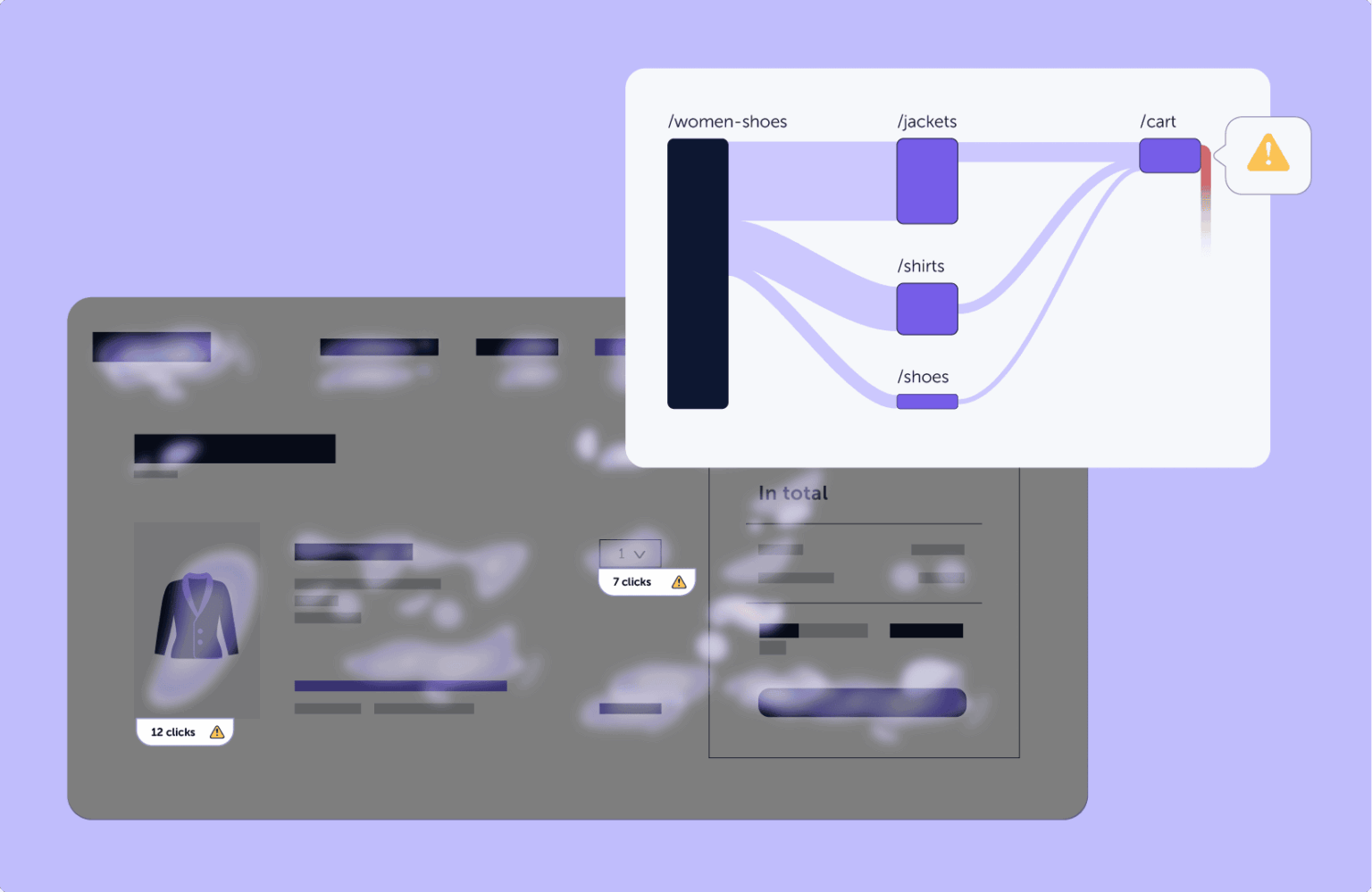
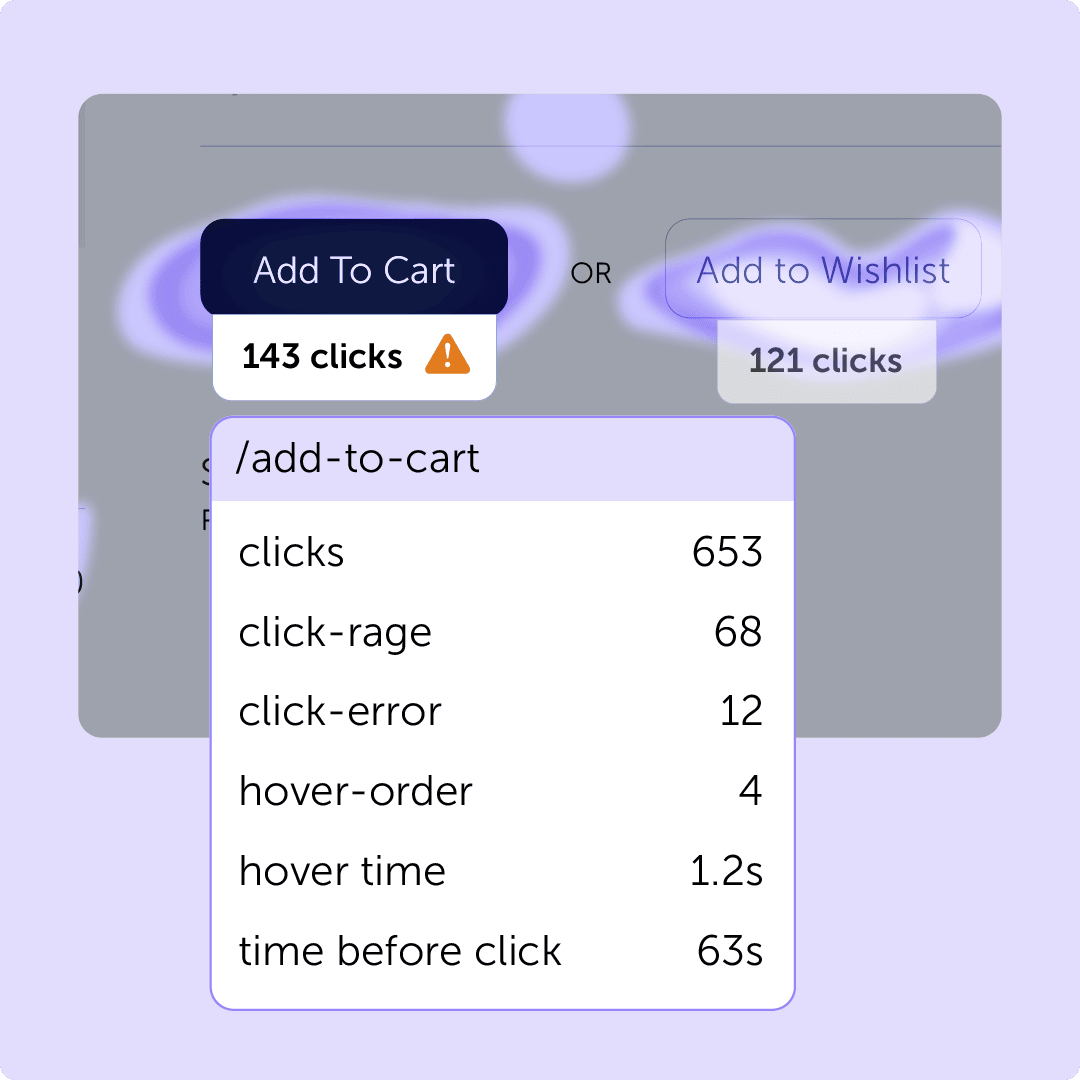
Automatically surfaces rage clicks, click errors, and points of frustration — so you know where users are getting stuck.

Geo Heatmaps
Map engagement by country or region. Understand how user behavior differs across your global audience.

Interactive Heatmaps
Browse your live site and see behavioral data on dynamic elements like menus, modals, filters, and SPAs in real context.

“By integrating Mouseflow’s behavior analytics tool into our development projects, we ensure that our website delivers a consistent brand experience and strong UX for our customers. This enables us to make data-driven development decisions that uphold the quality of our premium brand universe - without compromising a seamless customer journey.”
Read the full story →★★★★★
"It’s easy to implement and integrates smoothly with our clients' stack [...] The form analytics and feedback tools are also great for optimizing conversion rates."
★★★★★
"I love how Mouseflow provides a clear and extremely easy-to-use interface, which simplifies my ability to evaluate our customer's journey on our ecommerce platform."
★★★★★
"Mouseflow has been a game changer for understanding customers’ journeys. It provides clear, visual insights into user behavior that help us continuously improve website performance."
No sampling. No setup.
100% of traffic.
Every page. From day one.
- Records 100% of sessions by default, no session sampling
- Heatmaps generated for every page without manual setup
- Retroactive analysis, go back 3–12 months without pre-planning
- Filter heatmaps by device, traffic source, date range, and more
- 100+ filter options to segment exactly the users you want
Automatic friction detection
Identify UX issues instantly. Without watching recordings.
Who uses heatmaps
Turn user behavior into confident decisions

Marketing Teams
Validate landing page performance with real behavior data
See which headlines, CTAs, and sections drive engagement, and which parts of your page visitors never reach. Stop guessing with A/B tests and start diagnosing with visual evidence.

UX & product teams
Prioritize design improvements with visual user evidence
Heatmaps give UX designers and product managers the clearest possible signal on where users struggle, so you can fix friction before it costs conversions.

CRO teams
Generate hypotheses and validate test results faster
Heatmaps show you what happened before and after optimization changes, helping you attribute conversion lifts and build test plans grounded in real behavioral evidence.
Start today for free
See how users navigate your pages. Fix what breaks.
7 heatmap types, automatically generated for every page, from day one. No setup. No sampling. No guesswork.

14-day free trial · No credit card required · Full platform access